


Mastering Python defaultdict: Cleaner Code and Zero KeyError Exceptions
- Home
- Mastering Python defaultdict: Cleaner Code and Zero KeyError Exceptions




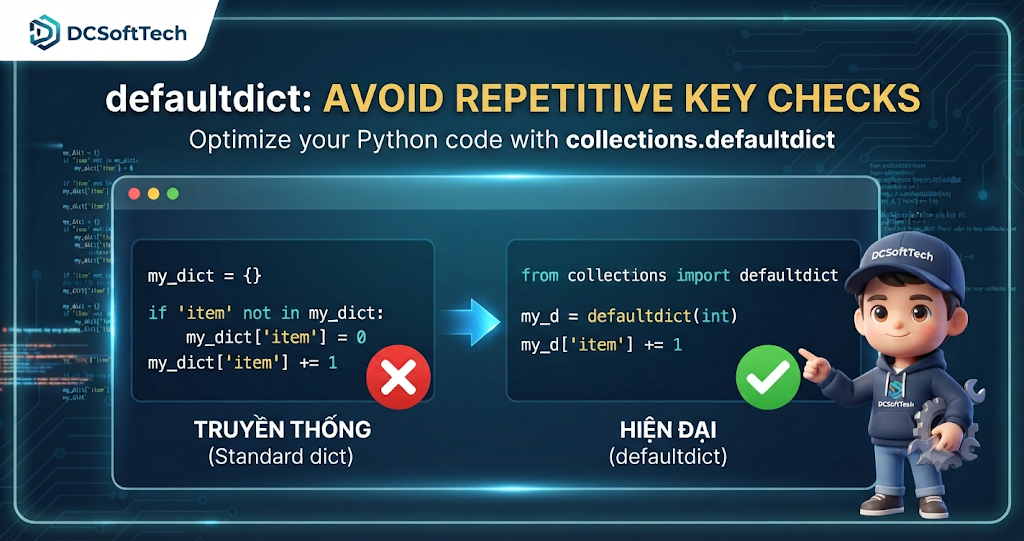
defaultdict in Python: The Ultimate Trick to Avoid Repetitive Key Checks and Clean Up Your CodeWhen working with standard dictionaries (dict) in Python, you are likely familiar with the routine of checking whether a key already exists before inserting or updating its value. Lines of code like if key not in my_dict: appear everywhere, cluttering your codebase and introducing potential bugs.
In this article, let’s explore defaultdict—a class from Python’s built-in collections module that solves this problem entirely, making your code cleaner, more readable, and more efficient.
Suppose you need to count the frequency of words in a list. If you use a regular dict, you typically write something like this:
words = ["apple", "banana", "apple", "orange", "banana", "apple"]
word_count = {}

for word in words:
    if word not in word_count:
        word_count[word] = 0  # Assign a default value if the key doesn't exist
    word_count[word] += 1

print(word_count)
# Output: {'apple': 3, 'banana': 2, 'orange': 1}
Although this code works perfectly, constantly checking if word not in word_count dilutes your core logic. A slightly better approach uses the .get() method:
for word in words:
    word_count[word] = word_count.get(word, 0) + 1
While shorter, this approach still breaks down when dealing with more complex data structures (such as grouping items into lists). That is precisely where defaultdict shines.
defaultdict and How Does It Work?defaultdict is a subclass of the built-in Python dict. Its primary difference is that it accepts a default_factory callable as an initialization argument (such as int, list, set, or a custom function).
When you try to access or assign a value to a non-existent key:
Python automatically calls the default_factory to generate a default value.
It assigns that default value to the missing key.
It returns the value so you can continue working with it seamlessly, completely avoiding a KeyError.
from collections import defaultdict

# Initialize with a default factory of int (default value is 0)
d = defaultdict(int)
defaultdictdefaultdict(int))Returning to our word-counting example, when using defaultdict(int), the default value for any missing key is int(), which evaluates to 0.
from collections import defaultdict

words = ["apple", "banana", "apple", "orange", "banana", "apple"]
word_count = defaultdict(int)

for word in words:
    word_count[word] += 1  # No need to check if the key exists!

print(dict(word_count))
# Output: {'apple': 3, 'banana': 2, 'orange': 1}
defaultdict(list))Imagine you have a list of tuples containing (student, subject) pairs and you want to group subjects by student. With defaultdict(list), the default value for a new key is an empty list [].
from collections import defaultdict

data = [
    ("Alice", "Math"),
    ("Bob", "Physics"),
    ("Alice", "Chemistry"),
    ("Bob", "Math"),
    ("Charlie", "Biology")
]

# Group subjects by student name
grouped_data = defaultdict(list)

for student, subject in data:
    grouped_data[student].append(subject)

print(dict(grouped_data))
# Output:
# {'Alice': ['Math', 'Chemistry'], 'Bob': ['Physics', 'Math'], 'Charlie': ['Biology']}
defaultdict(set))If you want to ensure that values within your groups have no duplicates, you can pass set as the default_factory.
from collections import defaultdict

tags = [
    ("python", "backend"),
    ("javascript", "frontend"),
    ("python", "ai"),
    ("javascript", "frontend") # duplicate
]

tag_dict = defaultdict(set)

for tech, category in tags:
    tag_dict[tech].add(category)

print(dict(tag_dict))
# Output: {'python': {'backend', 'ai'}, 'javascript': {'frontend'}}
lambdaYou are not restricted to built-in data types like int, list, or set. You can easily use a lambda function to set up any custom default structure you desire:
from collections import defaultdict

# Default value is a sub-dictionary holding user information
user_database = defaultdict(lambda: {"status": "inactive", "login_count": 0})

# Accessing a non-existent key
print(user_database["dcsofttech_user"])
# Output: {'status': 'inactive', 'login_count': 0}
Leveraging defaultdict brings several practical benefits to Python developers:
Cleaner and shorter code: Completely eliminates repetitive if key in dict check statements.
Better performance: Reduces dictionary lookups inside large loops.
Prevention of KeyError: Ensures stable program execution when accessing dynamically generated keys.
Start integrating defaultdict into your upcoming projects here at DCSoftTech to optimize both your code performance and maintainability!