


Laravel Best Practices: Separating Validation and Authorization with Form Requests
- Home
- Laravel Best Practices: Separating Validation and Authorization with Form Requests




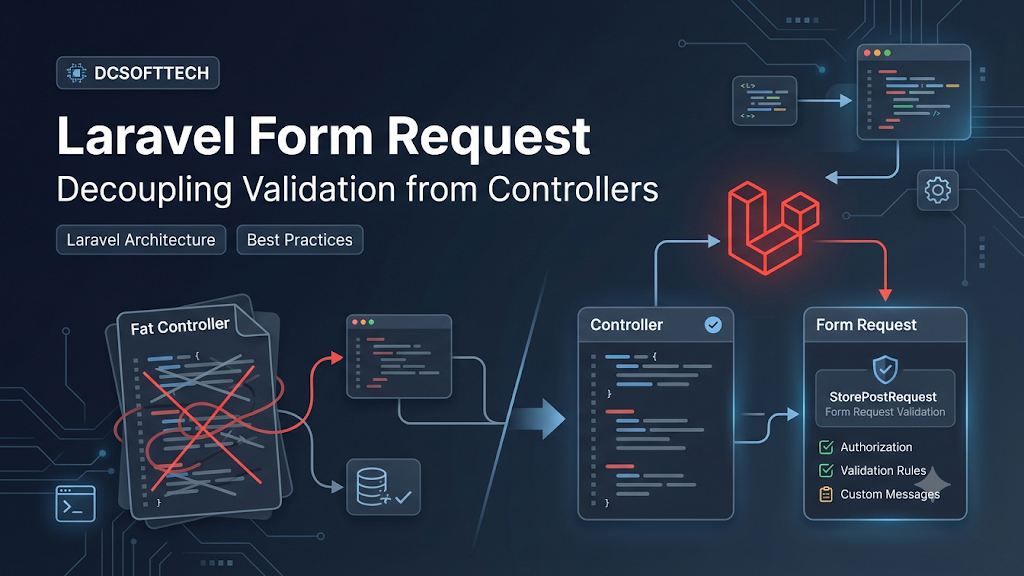
As a Laravel application grows, one of the fastest-bloating parts of the codebase is the Controller. Placing all validation rules ($request->validate(...)) directly inside controller actions quickly leads to verbose, hard-to-read methods and duplicated rules across endpoints.
Laravel’s Form Request solves this cleanly by encapsulating both authorization and validation logic into dedicated classes, allowing controllers to stay focused on orchestrating the core application flow.
Cleaner, thinner controllers: Controllers only receive pre-validated input and delegate business logic to Services, Actions, or Models.
Reusable validation rules: Multiple routes or actions (such as create and update endpoints, or web and API routes) can share or extend validation rules cleanly.
Clear separation between authorization (authorize) and validation (rules): You can verify whether the user is permitted to make the request before running validation rules.
Built-in customization hooks: Form Requests provide dedicated methods like messages(), attributes(), and prepareForValidation() out of the box.
Run the following Artisan command in your terminal to create a new Form Request (for example, for storing a blog post):
Bash
php artisan make:request StorePostRequest
Laravel will generate the class at app/Http/Requests/StorePostRequest.php with two primary methods: authorize() and rules().
PHP
<?php

namespace App\Http\Requests;

use Illuminate\Foundation\Http\FormRequest;
use Illuminate\Validation\Rule;

class StorePostRequest extends FormRequest
{
    /**
     * Determine if the user is authorized to make this request.
     */
    public function authorize(): bool
    {
        return $this->user() !== null;
    }

    /**
     * Normalize input data before validation runs (optional).
     */
    protected function prepareForValidation(): void
    {
        if ($this->has('title')) {
            $this->merge([
                'title' => trim($this->input('title')),
            ]);
        }
    }

    /**
     * Get the validation rules that apply to the request.
     */
    public function rules(): array
    {
        return [
            'title' => ['required', 'string', 'max:255'],
            'slug' => [
                'required',
                'string',
                'max:255',
                Rule::unique('posts', 'slug'),
            ],
            'content' => ['required', 'string'],
            'status' => ['required', Rule::in(['draft', 'published'])],
            'published_at' => ['nullable', 'date'],
        ];
    }

    /**
     * Customize error messages.
     */
    public function messages(): array
    {
        return [
            'title.required' => 'Please enter a post title.',
            'title.max' => 'The title may not exceed :max characters.',
            'slug.unique' => 'This slug is already taken. Please choose another one.',
            'status.in' => 'The selected post status is invalid.',
        ];
    }

    /**
     * Define human-readable attribute names.
     */
    public function attributes(): array
    {
        return [
            'title' => 'post title',
            'content' => 'post content',
            'published_at' => 'publish date',
        ];
    }
}
Once StorePostRequest is ready, type-hint it directly in your controller action. Laravel automatically executes authorize() and rules() before the method body runs:
If authorize() returns false, Laravel automatically responds with a 403 Forbidden HTTP response.
If validation fails, Laravel redirects back with errors for web requests, or returns a 422 Unprocessable Entity JSON response for API requests (expectsJson()).
<?php

namespace App\Http\Controllers;

use App\Http\Requests\StorePostRequest;
use App\Models\Post;
use Illuminate\Http\RedirectResponse;

class PostController extends Controller
{
    public function store(StorePostRequest $request): RedirectResponse
    {
        $validated = $request->validated();

        $post = Post::create([
            ...$validated,
            'user_id' => $request->user()->id,
        ]);

        return redirect()
            ->route('posts.show', $post)
            ->with('success', 'Post created successfully.');
    }
}
Handling unique checks on updates: When updating a record, use Rule::unique('posts', 'slug')->ignore($this->route('post')) so Laravel ignores the current post’s own slug during uniqueness checks.
Always prefer $request->validated() over $request->all(): This guarantees you only pass explicitly validated fields forward, reducing the risk of unintended mass-assignment issues.
Keep heavy business logic out of Form Requests: Form Requests should focus on input integrity and request-level access control. Complex domain rules (such as checking account balances or multi-step order state transitions) belong in dedicated Service classes or Policies.
Moving validation into Form Requests is a small architectural habit that pays off immediately in maintainability. With leaner controllers and self-documenting request contracts, your codebase becomes easier to read, test, and scale.